Local-first · Open source · v0.3.18

Find anything on your computer —
completely private.

SearchBox looks inside your files — PDFs, Word docs, spreadsheets, images — and finds what you're after in a blink, even if you don't remember the exact words. Everything runs on your own computer. Nothing is uploaded, tracked, or sent anywhere.

Free & open source (AGPL-3.0) · Windows 10 & 11 · No account required to download

SearchBox — localhost:8080
Archive indexing in progress...
Suggested searches
Found 0 images

Explore

Help & Search Commands

🚀 Advanced Search Syntax

SearchBox supports powerful, programming-style search operators for precise document discovery. Click any example to run it:

budget ::pdfSearch "budget" in PDF documents only
vacation ::imageImage search — photos matching "vacation"
::vaultShow documents in your encrypted vault
*Browse all indexed documents

🔧 Boolean Operators

::&&AND — both conditions must be met
::||OR — either condition can be met
::!NOT — exclude specific file types

🎯 Real-Time Syntax Validation

  • 🟢 Green border: syntax is valid and ready to search
  • 🟠 Orange border: incomplete operator (add search terms)
  • 🔴 Red border: syntax error (check file types, operators)

🔐 Vault Security

  • 🔒 Vault documents are AES-256 encrypted with your password
  • 🔍 Search works on vault documents too — decrypted locally
  • 📁 Upload files to the vault for secure storage

Manage Documents

Drag and drop files here, or browse

Files are encrypted and stored securely

Point SearchBox to an existing folder. Files stay in place and are indexed for search (not encrypted).

Connected Folders

No folders connected yet

Index a ZIM archive (e.g. Wikipedia offline) or a ZIP file containing documents. Each article or file becomes individually searchable.

Indexed Archives

No archives indexed yet

⚠️ Search Syntax Issues Detected

Query:
💡 You can continue anyway, but advanced syntax may not work properly.

Notifications

Document Name

JPG Image 1

Click "View Document" to see the full document containing this image.

This is the real interface — type a query and press Enter, open documents, unlock the vault, upload files. Or click: budget ::pdf · vacation ::image · ::vault · a typo like quartarly

Everything you need to find
what you forgot you had.

SearchBox reads the actual contents of your files — not just the names — so you find the right thing even when you don't remember what you called it.

Search everything

Type a word or phrase; SearchBox searches the contents of your files, not just their names.

Forgiving search

Typos are fine — it still finds what you meant. Powered by typo-tolerant full-text search.

Point it at a folder

Pick any folder and SearchBox reads everything inside so it's all searchable in seconds.

Index ZIP & ZIM archives

Point it at a .zip or an offline-Wikipedia .zim (Kiwix) and it reads everything inside — articles and all.

Browse your images

A built-in gallery and an "Explore" view to flip through everything visually.

Private vault

Upload sensitive files and lock them behind your password — AES-256 encrypted on disk.

AI summaries (optional)

Connect a free local AI (Ollama) and get a short summary of your results — still 100% on your machine.

Bookmarks & history

Pin your most-used documents and jump back to recent searches with a single click.

Open files in the app

Read PDFs, Word docs, and notes right inside SearchBox — no external apps needed.

Your files never leave
your computer.

No ads. No tracking. No cloud account. No phoning home. SearchBox is local-first by design.

  • Nothing leaves your computer No ads, no tracking, no cloud account, no phoning home. Ever.
  • Runs on localhost only SearchBox and its search index listen on 127.0.0.1 — not your network — so your files and index stay on your machine.
  • Your vault is encrypted Files in the vault are AES-256 encrypted with your password. They can't be read without it.
  • Recovery key for password reset During setup, you'll download a recovery key. Save it — if you forget your password, it lets you reset it and keep your vault.
external requests
by this page
cookies
set
trackers
anywhere

Measured live from this page's own network activity — open DevTools and check.

A clean, focused search experience.

No clutter, no distractions — just you and your files.

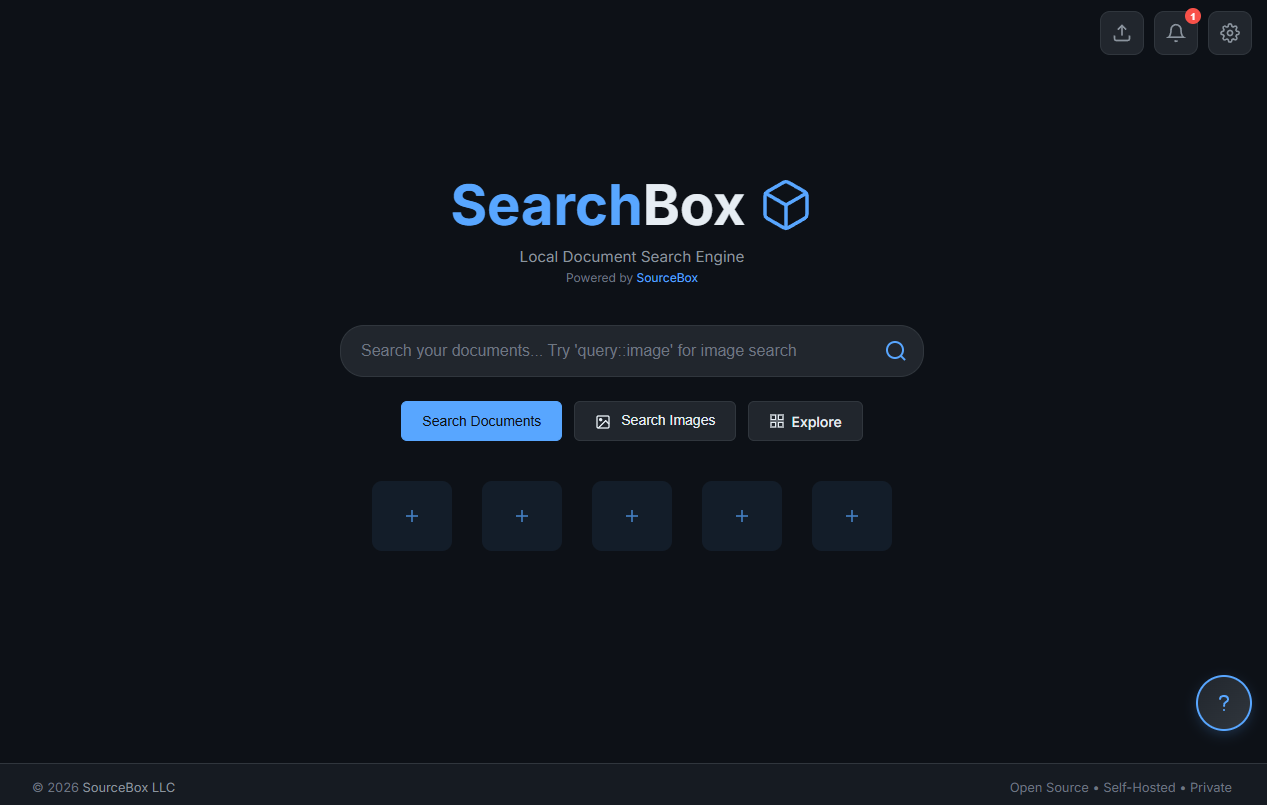
SearchBox home screen — a single search bar over a clean, dark interface

The home screen — one search bar, three actions, zero clutter.

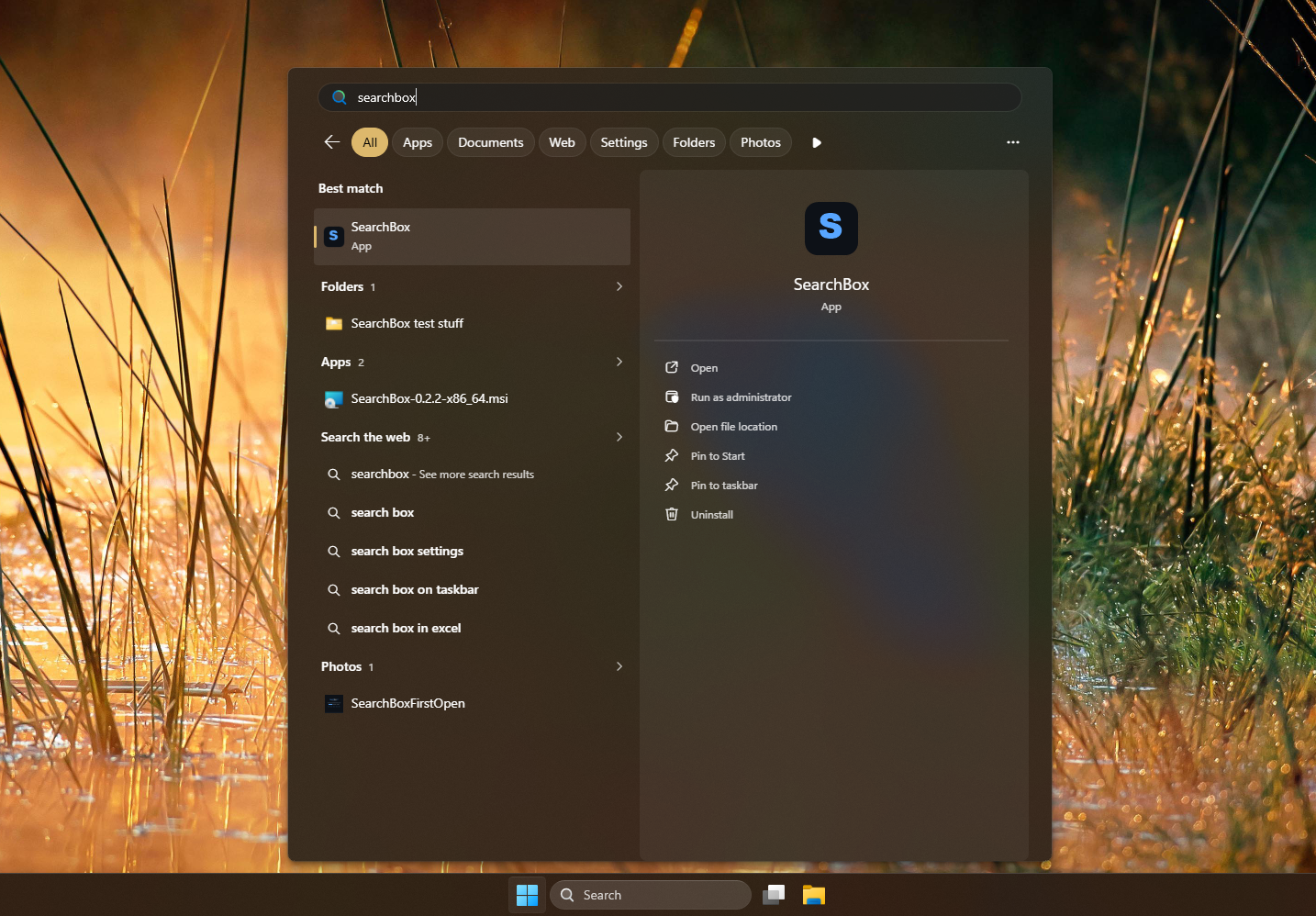
Launching SearchBox from the Windows Start menu

Launch from the Windows Start menu like any app.

Search shortcuts — click one to run it in the demo

::pdf — PDF files onlyrun ↑
::docx — Word documentsrun ↑
::txt — plain text filesrun ↑
::image — image galleryrun ↑
::vault — private vault onlyrun ↑

Combine with ::&& (and), ::|| (or), ::! (not).

Download. Install. Search.

Free, open source, and yours to keep. No setup, no technical steps.

Windows (ARM64)

Snapdragon laptops

Download MSI

Docker

Linux, macOS, Windows

View instructions
Prefer the terminal? winget install SourceBox.SearchBox

Runs on Windows 10 & 11. Windows may show a "publisher not recognized" notice — click More info → Run anyway. On Windows 10, you may need the free WebView2 component (automatic on Windows 11).

Questions people ask.

Yes — free and open source under the AGPL-3.0 license. No paid tiers, no premium version, no in-app purchases. The code is on GitHub for anyone to inspect, modify, and contribute to.
No. SearchBox works entirely offline. The only exception is the optional AI summary feature, and even that runs locally on your own machine once it's set up with Ollama.
Your search index and settings live in %LocalAppData%\SearchBox on your PC. Uninstalling SearchBox leaves your data right where it is — you won't lose your index by updating or removing the app.
Yes. SearchBox extracts text from PDFs (pdf-extract), Word docs (quick-xml + zip), Excel spreadsheets (calamine), markdown (pulldown-cmark), HTML, and plain text — then indexes the full content so you can search by what's inside the file, not just the filename.
Install Ollama (a free tool that runs AI models on your own machine), then enable it in Settings → AI Search. Everything stays local — no API keys, no cloud calls, no data leaving your computer.
SearchBox can update itself — go to Settings → About → Check for updates. It only reaches out to GitHub when you ask (there's an opt-in "check on startup" toggle). Or just download the latest MSI from the Releases page and run it; it upgrades in place.
Yes. SearchBox and its search index bind to 127.0.0.1 (localhost) only — not your network. The vault is AES-256-GCM encrypted with a key derived from your password via PBKDF2 (600k rounds). Nothing is uploaded, tracked, or sent anywhere. You can read the full details in SECURITY.md.

Stop searching for your files.
Start finding what's inside them.

Free, private, and runs entirely on your own computer.